
>>> Blog
A Free Zotero Plugin That Finds the PDFs for Your References
Title and abstract screening is done. The references going through to full text sit in a Zotero collection, and almost none of them has a PDF. You run Zotero's Find Available PDF, it attaches a good share, and what is left is the slow part: the records from Scopus or Web of Science that came in without a DOI, opened one tab at a time.
Here is the short answer. OpenAlex PDF Finder is a free Zotero plugin we built for exactly this moment. Select the references, right-click, choose Find PDF via OpenAlex, and it attaches a legal open-access copy wherever one exists. No account, no API key, and no Littview account either.
What it does
The plugin looks each selected reference up in OpenAlex, the open index of scholarly works run by the non-profit OurResearch, and asks it where a free copy lives: the publisher's site, PubMed Central, arXiv or an institutional repository. It downloads the best copy it finds and attaches it under the reference, like any other Zotero attachment.
It works with Zotero 7, 8, 9 and 10 on macOS, Windows and Linux. It is free and open source, and it is not a Zotero or OpenAlex product.
Install it
Three steps, about a minute, and no restart.
| Step | What to do |
|---|---|
| 1. Download | zotero-openalex-pdf.xpi. In Firefox, right-click the link and choose Save Link As, or Firefox tries to install it into itself |
| 2. Open the plugin manager | In Zotero: Tools → Plugins |
| 3. Install | Drag the .xpi file into that window, or click the gear icon → Install Plugin From File… |
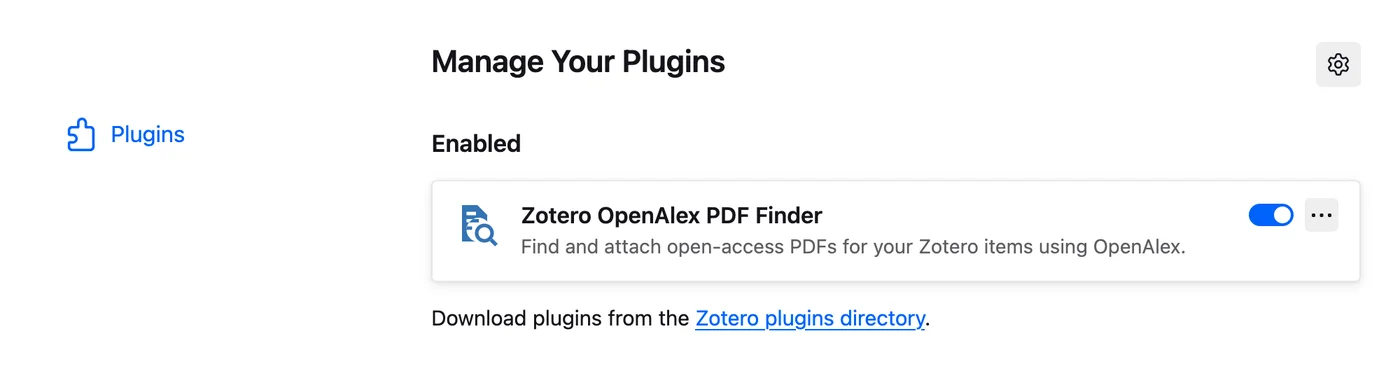
You should then see it in the list, switched on.
Run it on your collection
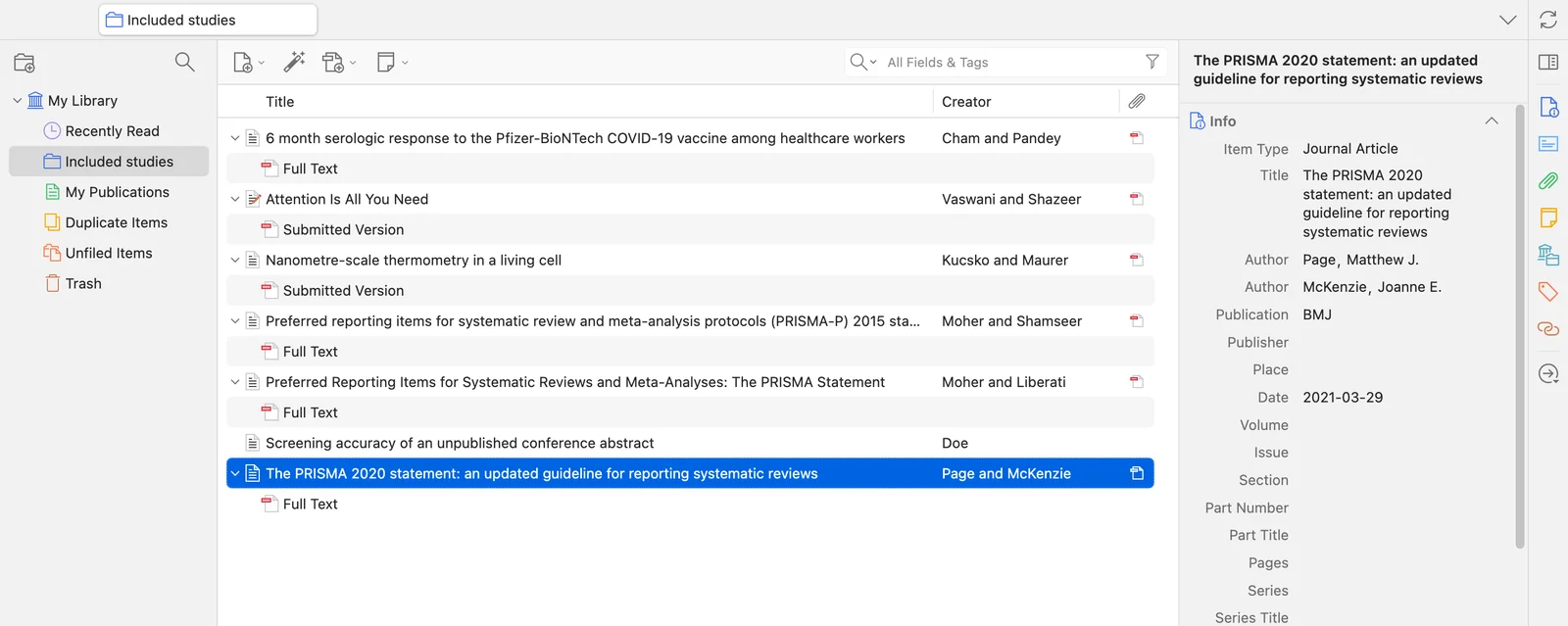
Select the references you need PDFs for. Cmd/Ctrl+A takes the whole collection, which is fine: items that already have a PDF are skipped, so running it again next week on the same collection does no harm.
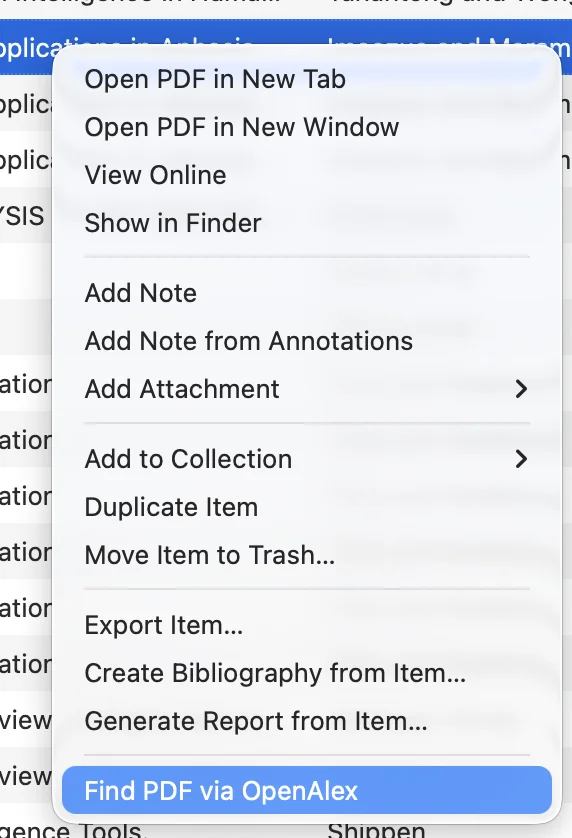
Then right-click and choose Find PDF via OpenAlex. The same command sits in the menu bar as Tools → Find PDFs via OpenAlex.
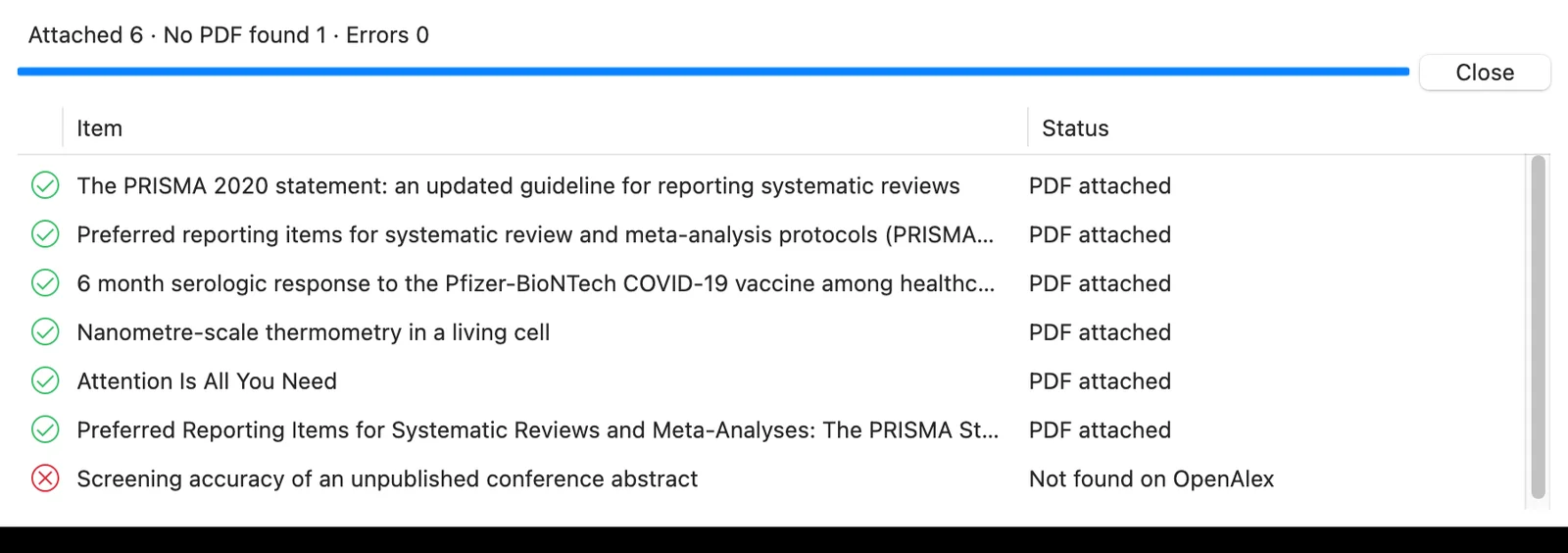
A window opens and lists every item with what happened to it. You can keep working while it runs, and Cancel stops it after the current item. When it finishes, each PDF sits under the reference it belongs to.
What the results mean
Every item in the window ends with one of five messages. Only the first needs nothing from you.
| Message | What it means | What to do |
|---|---|---|
| PDF attached | Done | Nothing |
| Not found on OpenAlex | No record matches the DOI, PMID or title. Common for conference abstracts, grey literature and very recent items | Look for it by hand |
| No full text available | The work was found, but there is no open-access copy | Probably paywalled: library access or interlibrary loan |
| No PDF could be downloaded | Open links exist, but none returned a PDF | Follow the links by hand |
| Possible match rejected — the years disagree | A work with exactly this title exists, in a different year | Check which one your reference is |
The last row is the plugin refusing to guess, which is the behaviour you want. For full-text screening, a wrong PDF on a reference is worse than no PDF: it gets screened, and nobody notices.
How it knows it has the right paper
This is the part that matters most, and the reason we built it. Exports from Scopus, Web of Science or Ovid often arrive with some DOIs missing, and a DOI-only lookup skips those records. The plugin tries four ways to identify a paper, in this order.
| It looks for | How it matches |
|---|---|
| DOI | Exact match |
| PMID | Exact match, read from the item's Extra field |
| arXiv ID | Exact match, with arXiv's own PDF as a fallback if OpenAlex has no usable copy |
| Title, when there is no identifier at all | The title must be identical apart from punctuation, capitals and accents, and the year must be within one year |
Anything looser than that is reported in the window and never attached.
When a paper has several free copies, they are tried best first: a direct PDF link before a landing page, the published version before the accepted manuscript before the submitted one, and open access before anything else.
Zotero Find Available PDF first, then this plugin
Zotero's built-in Find Available PDF relies mainly on the DOI, and it does that job well. The order that gets you the most PDFs for the least effort is to run Zotero's first, then run OpenAlex PDF Finder on whatever is still missing. The plugin skips everything Zotero already attached.
If your references already live in Littview, its Zotero PDF import is built around this round trip: it exports the papers still missing a PDF as a .bib file for Zotero, then takes the exported folder back with each PDF matched to its reference.
Cost, limits and what leaves your computer
| Cost | Free. No account, no API key |
| Daily allowance | A 1,000-reference review uses about 20 OpenAlex lookups; the free allowance is about 1,000 a day. PDFs come straight from publishers and repositories and count against nothing |
| Paywalls | Legal copies only. As a last resort it tries the publisher's page, which can work on a campus network with IP-based access |
| What is sent | Only the DOIs, PMIDs and titles of the items you select, to OpenAlex. Nothing from your library is stored anywhere |
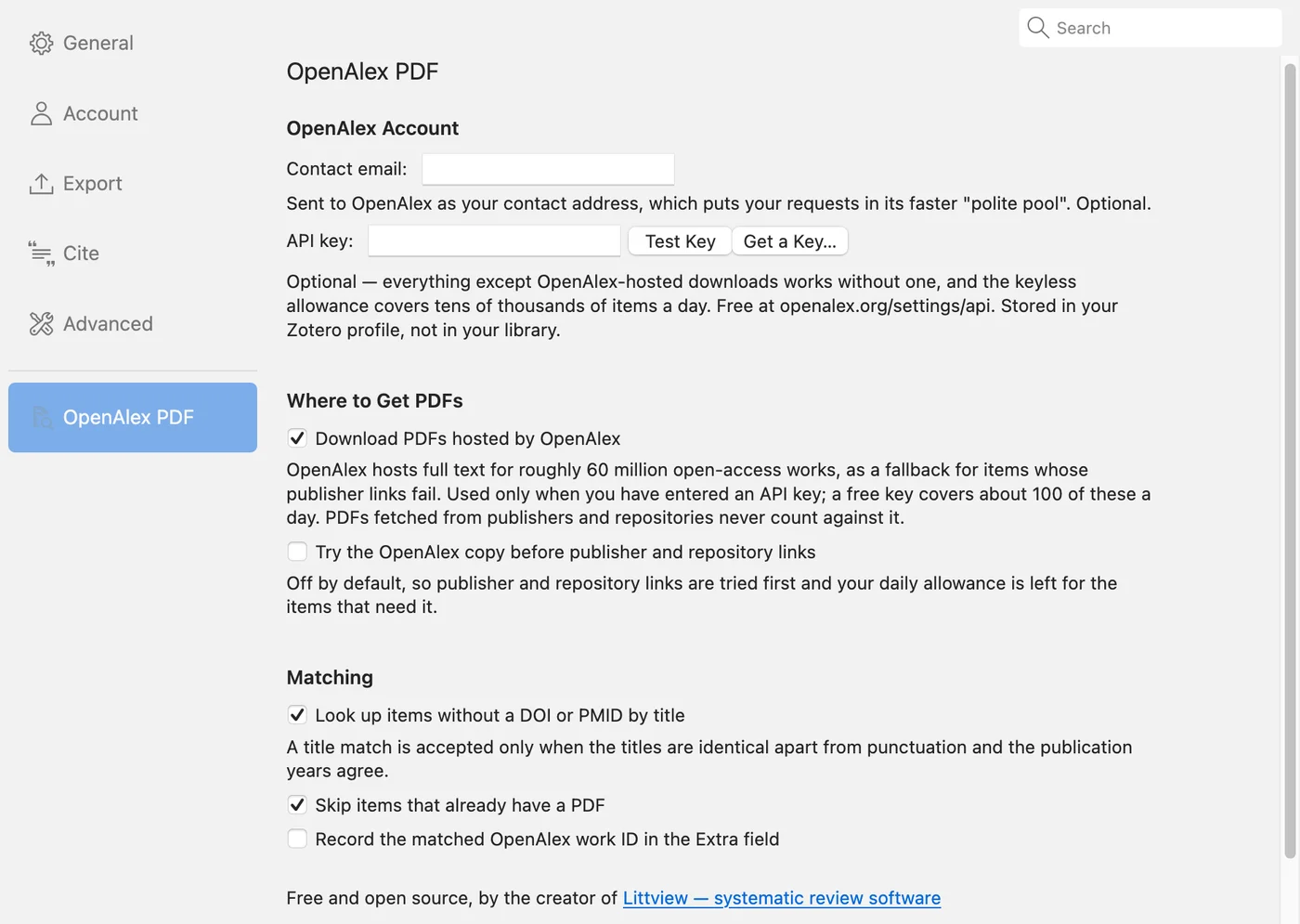
| Optional API key | A free OpenAlex key adds OpenAlex's own hosted PDF copies as an extra fallback, about 100 downloads a day |
Every setting is optional, and the defaults are fine for most reviews. The pane lives under Zotero → Settings → OpenAlex PDF (Edit → Settings on Windows and Linux).
FAQ
Will it find paywalled papers? No. It finds copies that are legally free to read. For the rest, the result window tells you which references need your library.
Do I need an OpenAlex API key? No. The key only unlocks OpenAlex's hosted copies as a fallback. Lookups and downloads from publishers and repositories work without one.
Does it change my references? It adds PDF attachments. If you switch the option on in settings, it also records the matched OpenAlex work ID in the item's Extra field. Nothing else.
The menu item is missing after I installed it. Open Tools → Plugins and check that it is listed and switched on. If you have an old version, download the file above and install it the same way; it replaces the old one.
If full-text screening starts this week: run Zotero's Find Available PDF on the collection, run this plugin on what is left, and sort the remaining items by their result message. What is left after that is the short list for your library, not the whole collection. The plugin page has the full user guide.
More from the blog
Systematic Review Protocol: What to Write Before You Screen
Literature Review Software by Stage: A Map of What Each Kind Does
Inclusion and Exclusion Criteria: What to Include and What to Leave Out
Critical Appraisal Tools for Systematic Reviews: Which One for Which Study Design
Systematic Review Software in 2026: Covidence, Rayyan, Elicit, and Littview Compared
Can AI Replace Your Second Reviewer? What the Evidence Says
Introducing Littview